December 12, 2025
5 min read
How to Reach Inbox Zero (and Actually Stay There)
“Inbox Zero” gets a bad rap as an impossible chore. But the goal was never a permanently empty inbox — it's an inbox where nothing important slips through and nothing unimportant steals your attention. Here's how to get there without spending your morning triaging email.
1. Separate senders from messages
Most inbox overwhelm comes from a small number of noisy senders. Instead of processing thousands of individual messages, group your inbox by sender. Suddenly the problem is 40 senders, not 4,000 emails — and most of them you can act on in one click.
2. Decide once, not every time
For each recurring sender, make a single decision that applies to every future email: keep and label it, auto-archive it, or unsubscribe entirely. Baxter turns that decision into a rule so you never have to think about that sender again.
3. Let labels do the sorting
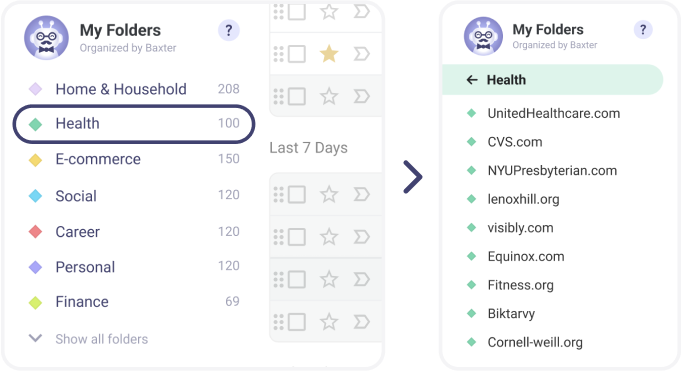
Automatic labels route mail into folders as it arrives — Finance, Shopping, Work — so your inbox only holds what's new and relevant. You skim by category instead of scrolling one giant list.
4. Clean the backlog in bulk
The archive of years-old newsletters isn't worth reading one by one. Bulk-unsubscribe and bulk-delete old mail from senders you no longer care about, then start fresh.
Do this once and Inbox Zero stops being a daily ritual — it becomes the default state of your inbox.